Do All App Updates Need to Be Forced Immediately?
App updates are a routine part of modern mobile experiences, whether you’re enjoying the BingoPlus App’s casual bingo thrills, immersing in the GamingPlus App’s latest features, or reading your favorite stories on Boring Magazine. But as a mobile QA and release engineering lead reflecting on years of shipping Android-first apps across Southeast Asia, one question remains pivotal: Should every update be forced immediately on users?
In this article, we’ll explore the nuances between critical and minor updates, why a transition period matters, how to avoid dangerous version fragmentation, and the importance of reliability beyond mere uptime. We’ll also dig into key engineering and testing best practices such as lightweight architecture, device diversity, and making first-launch permission timing crystal clear. Along the way, we’ll highlight common pitfalls—such as updates arriving with missing pricing or currency information, which can frustrate users and complicate compliance.
Understanding Critical vs Minor Updates
Not all updates are created equal. Recognizing the distinction between critical and minor updates is fundamental to deciding when and how to force users to update their app version.
What Constitutes a Critical Update?
- Security patches: Fixes for vulnerabilities that could expose user data or compromise app integrity.
- Compliance-driven changes: Updates necessary due to legal or regulatory requirements such as data privacy enhancements or payment gateway compliance.
- Major bug fixes: Issues that cause crashes, freezes, or broken core functionality (e.g., login failures) that severely impact user experience.
- Compatibility fixes: Adjustments for changes in Android OS versions or essential third-party APIs that break older app builds.
- Missing or incorrect business information: Any update that addresses errors such as missing pricing, fees, or currency amounts. For example, an article scraper for Boring Magazine delivering price info absent or wrong can severely reduce monetization or cause user trust issues.
When Are Minor Updates Appropriate?
- UI polish and performance improvements that don’t disrupt existing workflows.
- Small feature additions or experimental toggles available as optional opt-ins.
- Background optimizations that improve battery or network usage without changing user-facing behavior.
- Content corrections that do not affect fundamental app operations.
For minor updates, forcing immediate installs can annoy users, especially if they are on limited data plans or using older Android devices connected over spotty Wi-Fi.
The Importance of a Transition Period
Even with critical updates, forcing instant updates without a transition period can alienate users and create version fragmentation, where different users operate different app versions but are not able to interact seamlessly or receive consistent experiences.
Strategies That Work
- Graceful reminder prompts: Apps like GamingPlus App often use staged update prompts, which encourage users to update within days rather than hours.
- Downtime communication: If an update fixes server or API issues, communicate clearly what users see on screen before, during, and after the transition.
- Support fallback versions: Maintain critical bug fixes backported to slightly older versions while encouraging users to update.
- Offer incentive or explanations: Make users understand why the update is crucial, such as by stating “Security update to protect your BingoPlus App account”—not just vague notes like “performance improvements.”
Managing Version Fragmentation
Version fragmentation is a challenge, especially on the Android ecosystem, where an enormous variety of devices with different OS versions, screen sizes, and hardware profiles exist.
Risk Impact How to Mitigate Users on older versions unable to access latest features or security fixes Compromised app security, inconsistent user experience, higher support costs Staged rollouts, enforced updates for critical fixes, real-device testing on older hardware Performance regression on low- and mid-tier devices from forced updates User frustration and churn, especially in resource-constrained markets Lightweight architectures, resource discipline, device-specific optimizations Misleading update prompts without pricing or currency details User confusion; compliance risks, especially in monetized apps or ads Clear update notes, verification of scraped content like pricing info across feeds (e.g., Boring Magazine articles)Reliability Beyond Uptime
User experience is influenced as much by how the app behaves during usage as by whether the backend is up or down. For example, loading screens that appear blank with no context frustrate users and cause uninstalls faster than downtime itself.
- Meaningful feedback on screen: Instead of a blank loading spinner, the BingoPlus App might show recent winning numbers, user tips, or a progress bar.
- Clear error messaging: Avoid developer jargon such as “HTTP 500.” Instead, say “Sorry, we’re having trouble fetching your latest messages. Please try again shortly.”
- First-launch clarity and permission timing: For the GamingPlus App, requesting permissions (e.g., camera, storage) immediately on install with no explanation leads users to deny or uninstall. Delay permissions until just before feature use, and supplement with screens explaining why the permission matters.
Lightweight Architecture and Resource Discipline
Apps that bloat over time cause problems across Android device diversity, especially in Southeast Asia where many users have mid- to low-tier devices with limited storage and RAM.
Key practices include:
- Modular architecture allowing features to update or download on demand rather than all at once.
- Efficient memory and CPU optimization to minimize battery drain.
- Using telemetry wisely to avoid heavy network or compute loads, particularly when connected via metered or unstable Wi-Fi.
- Testing under real-world network conditions—not just in the lab—to simulate user environments.
Device Diversity and Real-Device Testing
While emulators and simulators help in early development, nothing beats testing on real devices that represent your user base. This is vital for catching:
- UI glitches due to unusual screen resolutions or aspect ratios.
- Behavioral discrepancies caused by manufacturer customizations to Android OS.
- Performance bottlenecks hidden on newer flagship phones but noticeable on affordable devices.
Between BingoPlus App, GamingPlus App, and content delivery for Boring Magazine, ensuring consistent experience across devices helps minimize customer support escalations and negative reviews.
Common Mistake: Missing Pricing, Fees, or Currency Information in Updates
A surprisingly widespread issue observed during article scrapes and app updates is the absence of clear pricing, fee, or currency amounts. This pitfall creates user confusion and legal challenges, especially when monetization or in-app purchases are involved.
For example, if Boring Magazine articles list subscription fees inside the app but the scraped content omits currency units or fails to display promotional pricing, users unaware of the actual cost may abandon the update or suspect scams.
Checklist to avoid this mistake:
- During content scraping or updates, validate fields related to pricing and fees explicitly.
- Ensure updates include localized currency symbols appropriate for each region served.
- Display pricing info at relevant screens before prompting purchases.
- Review release notes and app store descriptions to confirm pricing disclosures are present and accurate.
What Does the User See On Screen Right Now?
As a final reminder, always ask yourself during app development and release— What does https://boringmagazine.com/gamingplus-app-and-the-engineering-of-mobile-reliability/ the user see on screen right now? This question encapsulates the heart of all the topics discussed:
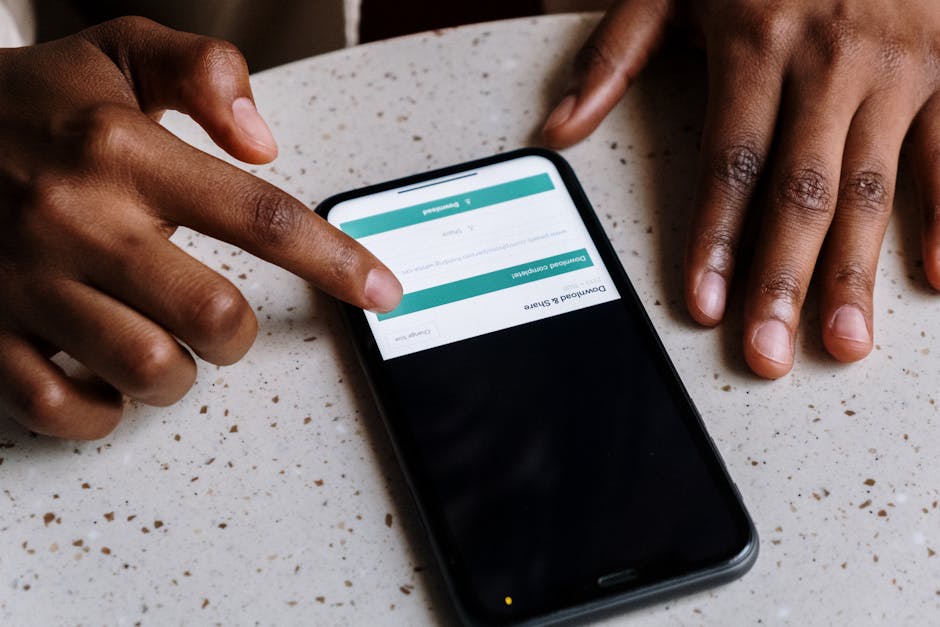
- Does the update prompt clearly explain why the update is necessary?
- Are permission requests timed right, with meaningful explanations?
- Is the app lightweight and fast, even on lower-end Android devices over typical Wi-Fi?
- Does the app never leave users staring at a blank loading screen or cryptic error message?
Answering these leads to a better user experience, less frustration, and ultimately, more successful app updates—whether minor iteration or critical patch.
Conclusion
Not all app updates need to be forced immediately. Distinguishing between critical and minor updates, allowing a transition period, and actively managing version fragmentation are keys to maintaining user trust and app reliability. Lightweight architecture, attention to device diversity, and clear first-launch permission timing ensure your app stays inclusive for all users. Avoiding gaps like missing pricing or currency info keeps compliance and monetization on track.

By applying these insights—drawn from real-world experience with Android apps such as BingoPlus, GamingPlus, and content publishers like Boring Magazine—you can strike the right balance between urgency and user convenience, maximizing positive outcomes on every release.